TL;DR:本次 SEO 优化只做了一件事——给博客加上 JSON-LD 结构化数据。文章页自动输出
BlogPosting,首页自动输出WebSite,以后发文无需手动维护
一.为什么要做这次优化#
博客基于 Astro + astro-theme-pure,原本已经具备较完整的 SEO 基础:页面 title / description、Open Graph、Twitter Card、canonical 链接、sitemap、RSS、robots.txt 等。
但全站缺少 JSON-LD 结构化数据(application/ld+json)。
JSON-LD 是一段嵌在页面里的 JSON,用 Schema.org 标准告诉搜索引擎:
- 这是博客文章还是普通网页
- 标题、作者、发布时间分别是什么
- 站点名称和 URL 是什么
对 Google 富摘要、AI 搜索引用都有帮助。更重要的是:只要在布局里配置一次,每篇新文章都会自动生成,不用在 Markdown 里重复写。
二.我具体做了什么#
1. 文章页:BlogPosting#
新建组件 src/components/BlogPostingJsonLd.astro,在 src/layouts/BlogPost.astro 中挂载。
组件会读取文章 frontmatter 里已有的字段,自动拼出 JSON-LD:
| JSON-LD 字段 | 数据来源 |
|---|---|
headline | frontmatter title |
description | frontmatter description |
datePublished | publishDate |
dateModified | updatedDate(没有则用 publishDate) |
author.name | 站点配置 config.author |
image | heroImage 或默认 socialCard |
mainEntityOfPage.@id | https://supermortal.cn/blog/{文章 slug} |
最终页面 <head> 中会出现类似:
<script type="application/ld+json">
  {
    "@context": "https://schema.org",
    "@type": "BlogPosting",
    "headline": "文章标题",
    "author": { "@type": "Person", "name": "Mortal" },
    ...
  }
</script>2. 首页:WebSite#
新建组件 src/components/WebSiteJsonLd.astro,在 src/pages/index.astro 中挂载。
自动读取 site.config.ts 里的站点名、描述、作者、语言,输出:
<script type="application/ld+json">
  {
    "@context": "https://schema.org",
    "@type": "WebSite",
    "name": "super-mortal",
    "url": "https://supermortal.cn",
    ...
  }
</script>3. 布局改造:head 插槽#
JSON-LD 需要放在 <head> 里。为此改动了两个布局文件:
src/layouts/BaseLayout.astro:在<head>中增加<slot name="head" />src/layouts/ContentLayout.astro:把head插槽转发给 BaseLayout
文章页走 BlogPost → ContentLayout → BaseLayout,首页直接走 BaseLayout,两条路径都能把 JSON-LD 注入到 head
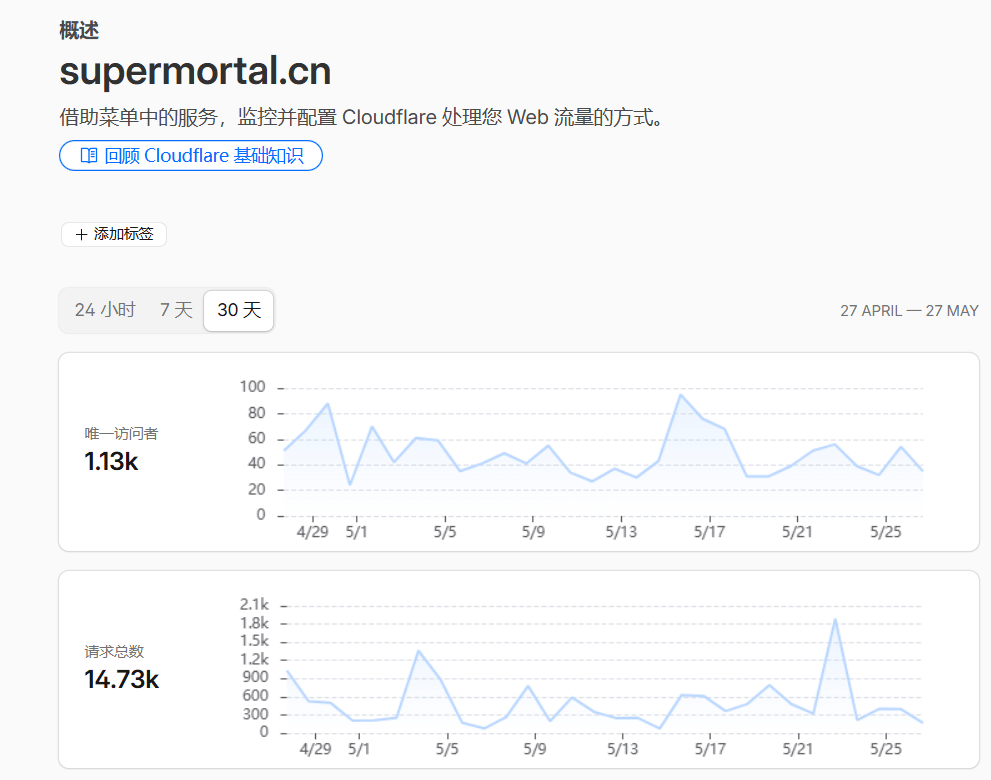
三.附 Cloudflare近一个月流量统计#